Beach LandingBEACHHEAD
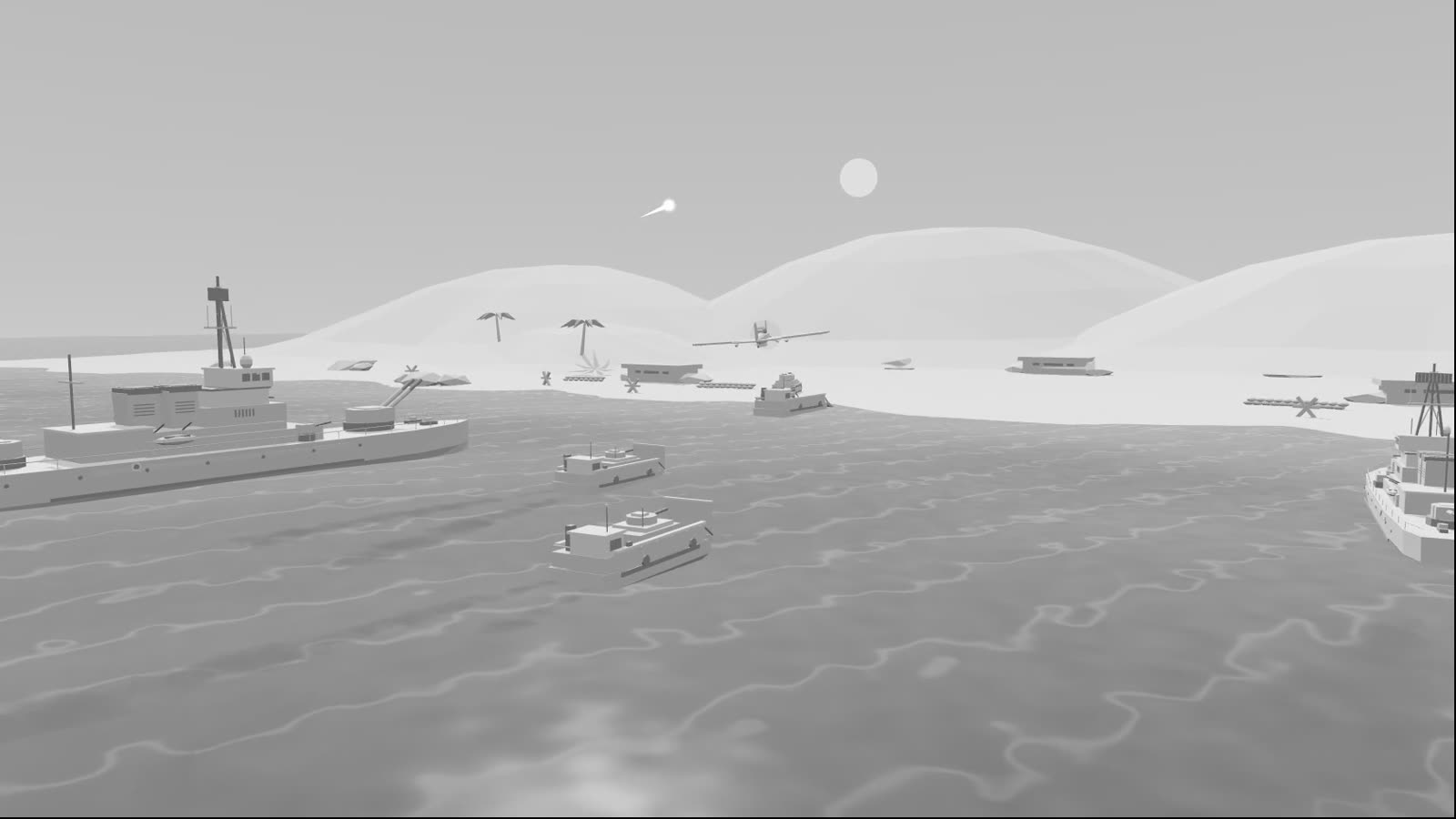
A simple coastline is first blocked out in three.js to lock down the camera, the pacing and when each shell lands. That clay pass then becomes the reference for a finished shot with light, smoke and fire. All three stages of the same shot are on this page.
- BLOCKOUT
- CAMERA
- AI VIDEO
Clay and final, frame for frame
Both videos play on one shared timeline. Use the slider to see how a single frame changes, go side by side to follow the overall rhythm, or watch either one on its own.
Landing underway
Skimming the sea · lead tanks already ashoreBuilt entirely in code: hands-on, quick and cheap to change
The clay video was exported from this page. Scene, animation, cameras and export all live in a single HTML file that loads nothing external. Scrub the timeline, switch between director cam, free orbit and overhead, flip between clay and color, or export a reference clip of your own.
Space play / pause · H hide UI · drag to orbit in Free orbit Open full screen in a new tab ↗
One shot, three stages
Get the shot right in 3D first, then let AI handle the look. Composition, camera moves and the timing of the action are settled at the clay stage; generation mostly adds light, materials and atmosphere.
-
01 · Blockout
Blockout
Sea, dunes, warships, landing craft, tanks and aircraft are all built from simple geometry. Only position, scale and motion matter here; there are no materials.
- Format
- three.js single page
- Frames
- 540 @ 30fps
-
02 · Camera
Camera previs
Eighteen seconds in three shots (skimming the sea, pushing to shore, a high reveal) with an overhead flyby and naval gunfire hits in between. Timing is tuned frame by frame in the previs, then exported as a clean clay reference.
- Cameras
- Director / Free / Overhead
- Output
- Clay reference
-
03 · AI Video
AI final
The clay reference is the input for the final shot. The dusk sky, surf, smoke and fire come from the model, while composition and camera movement largely follow the clay pass.
- Resolution
- 1920×1080 · 24fps
- Audio
- Yes